
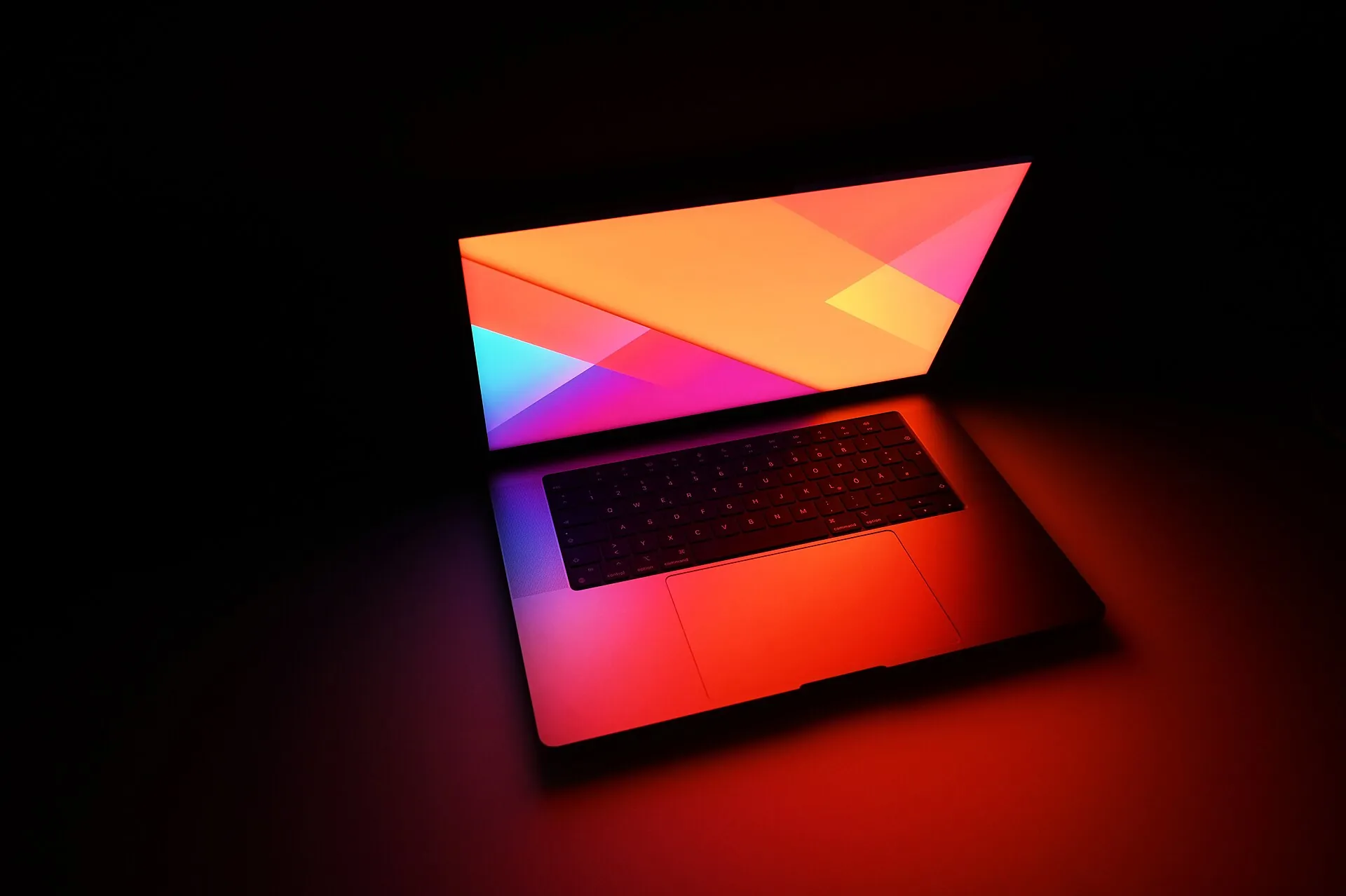
Illustrative photo: SimonWaldherr / Wikimedia Commons (CC BY-SA 4.0)

The newest MacBook is the MacBook Pro with PROLED XDR Display, announced by Apple on 28 October 2026. Its keyboard is a Backlit Magic Keyboard with Touch ID and a full height row of 12 function keys. The keyboard itself carries over from the previous model, so the most useful thing you can do on day one is test every key on it, which takes about two minutes in your browser.
New MacBook Pro keyboard: what it has, and how to test every key
Apple's October 2026 launch was a screen story. The new MacBook Pro is the first Mac with a touchscreen, and almost every headline went to the display. The keyboard barely got a mention, which is a shame, because it is still the part of the machine your hands live on for hours every day. This guide covers the keyboard of the newest MacBook Pro in plain words: what it is, what changed and what did not, and how to test every single key on it while your return window is still open.
On this page:
The newest MacBook, in short · What keyboard does the new MacBook Pro have? · Did the keyboard change from the last model? · The function row and Touch ID, explained · How do I check the keyboard backlight? · How to test every key on the new MacBook Pro · Why does the Fn key not light up in a keyboard test? · New MacBook Pro keyboard FAQs
The newest MacBook, in short
Apple announced the MacBook Pro with PROLED XDR Display on 28 October 2026, in 14-inch and 16-inch sizes, with a choice of M5 Pro or M5 Max chips. Pre-orders opened on the day of the announcement, and the machines reach shops and customers from 6 November 2026. Prices start at $2,899 for the 14-inch model and $3,399 for the 16-inch model. The headline features are the touchscreen, the tandem OLED display behind the PROLED XDR name, and the arrival of the Dynamic Island on a Mac. The body is thinner and lighter than before, at about 3 pounds for the 14-inch and about 4 pounds for the 16-inch. In the same week, Apple also updated the standard 14-inch MacBook Pro with a new M6 chip, but the PROLED XDR models are the newest MacBooks in the line.
What keyboard does the new MacBook Pro have?
It has a Backlit Magic Keyboard with Touch ID. On the U.S. model there are 78 keys, or 79 on ISO layouts used in much of Europe, and that count includes a full height row of 12 function keys along the top. An ambient light sensor sits alongside the keyboard and adjusts the backlight brightness on its own as the light in your room changes. Below the keyboard is a large Force Touch trackpad. The keys themselves are low profile laptop keys: quiet in a shared room, and comfortable for long typing sessions. One honest note for spec hunters: Apple does not publish a key travel figure for this keyboard, so treat any exact travel number you read in a review as that reviewer's own measurement, not an Apple figure. If you are also shopping for a separate keyboard for your desk, our guide How to Choose a Keyboard in 2027 explains how laptop style scissor keys compare with mechanical and membrane boards.
Did the keyboard change from the last model?
No, and it is worth saying plainly. The Backlit Magic Keyboard with Touch ID on this model is the same keyboard Apple shipped on the M5 Pro and M5 Max MacBook Pro models earlier in 2026. Everything Apple changed sits around it: the display became a touchscreen OLED panel, the Dynamic Island arrived, the body got thinner and lighter, and the cooling was redesigned. So do not buy this model expecting a new typing feel, because there is not one. If you liked the keyboard on the last MacBook Pro, this one will feel familiar the moment you open the lid. If you did not like it, this model will not change your mind, and the touchscreen is the real reason to look at it.
The function row and Touch ID, explained
The top row is a full height function row: the F1 to F12 keys are the same height as the letter keys, not the half height row older MacBooks used to have. By default, these keys run the actions printed on them, like screen brightness, volume, and media playback, and holding the Fn key turns them into standard F1 to F12 keys for apps that need them. A macOS setting flips that behaviour if you use function keys all day. At the right end of the row sits Touch ID, and Touch ID is a fingerprint sensor, not a typing key. It unlocks the Mac, approves payments, and fills passwords with your finger. Pressing the Touch ID button also locks the Mac, which is the quickest way to confirm the button itself responds. Because Touch ID sends no key signal, no website can test it for you, and that includes our tester.
How do I check the keyboard backlight?
Your eyes are the tool for this check, because the backlight never reaches the software. Take the MacBook into a dim room and look across the whole keyboard. Every key should glow evenly, with no single dark key sitting among lit neighbours. The ambient light sensor raises and lowers the brightness by itself, so the glow will look stronger in the dark and weaker in bright daylight, which is normal. What is not normal is one key, or one corner of the board, staying dark while the rest shine. That is a day one fault, and it is far easier to sort out inside the return window than through a repair later. No browser test can judge backlight evenness for you.
How to test every key on the new MacBook Pro
Open the free tester on the MacBook itself, right here on the homepage. It needs no install and no sign up. Above the on-screen board, choose the Apple Mac layout, and pick the Laptop size so the board on screen matches a laptop's shape instead of showing a separate numpad block your MacBook does not have. Then work through the physical keyboard row by row, pressing each key once with a normal, firm press, and watch every working key light up on screen as it responds. Do not skip the quiet corners: the function row, the arrow keys tucked into the bottom right, Escape, and the modifier keys on both sides of the space bar. Finish by holding a few keys down together, the way you would for a shortcut, and check they all register at the same time. Our step by step guide How to test keyboard keys properly gives the full order that catches dead keys and double typing. If one key never lights up, press it once more, check for a crumb under it, and if it still stays dark, talk to Apple while the return or exchange window is open. A dead key found in week one is a replacement. The same key found in month three is a repair appointment.
Why does the Fn key not light up in a keyboard test?
It is not a fault with your MacBook. This is the one honest limit of any browser based test: macOS handles the Fn key itself, at the system level, so on most Macs the press never reaches the browser at all. The tester cannot light up a key press it never receives. It is the same reason the Windows key cannot be tested on a Windows laptop. If the physical Fn key clicks normally and it changes the function row behaviour the way it should, it works. In our tester you can click the on-screen Fn key with your mouse or trackpad to mark it as tested, so your finished test still covers the whole board.
New MacBook Pro keyboard FAQs
What keyboard does the new MacBook Pro have? A Backlit Magic Keyboard with Touch ID, with 78 keys on the U.S. model or 79 on ISO layouts, including a full height row of 12 function keys.
Did Apple change the keyboard on the 2026 MacBook Pro? No. It is the same Backlit Magic Keyboard with Touch ID as the previous M5 Pro and M5 Max models. The changes on this model are the touchscreen PROLED XDR display and the thinner, lighter body.
How can I test the keys on my MacBook Pro? Open the free tester on the MacBook itself, pick the Apple Mac layout, and press every key row by row. Each working key lights up on screen. The whole check takes about two minutes.
Why does the Fn key not light up in the test? macOS keeps the Fn key for itself, so the press usually never reaches the browser. The key is almost certainly fine. Click the on-screen Fn key in the tester to mark it as tested.
Can a keyboard test check Touch ID? No. Touch ID is a fingerprint sensor, not a typing key, and it sends no key signal to any website. Pressing it locks the Mac, which is the quickest way to confirm the button responds.
The newest MacBook Pro is a screen story, not a keyboard story, and that is fine. The Magic Keyboard it ships with is proven, backlit, and comfortable for long days of typing. Spend two minutes testing every key while returns are still easy, and then forget about the keyboard and get on with your work.
More keyboard guides are on the blog.